Collections and Pools
Broken object collections
A broken object collection is a ScriptableObject that contains all variants of a broken object.
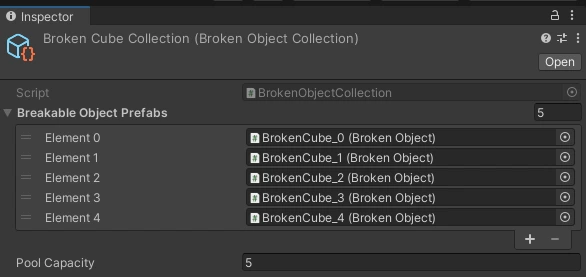
Broken objects are retrieved from the collection at random at runtime.
Here you can also set an initial Pool Capacity for each variant. On first use (or on pool initialization, if you call BrokenObjectPools.AddCollectionToPool), that many instances of each broken variant are added to a pool.
Pools are expandable. If you break a lot of objects at runtime, new instances of the broken variants are created and added to the pools (see Broken object pools below).
A broken object collection is created automatically when you press Create in the Create broken objects window.
You can also create a BrokenObjectCollection yourself: Assets → Create → Broken object collection → Empty.
Broken object pools
Why do I need that?
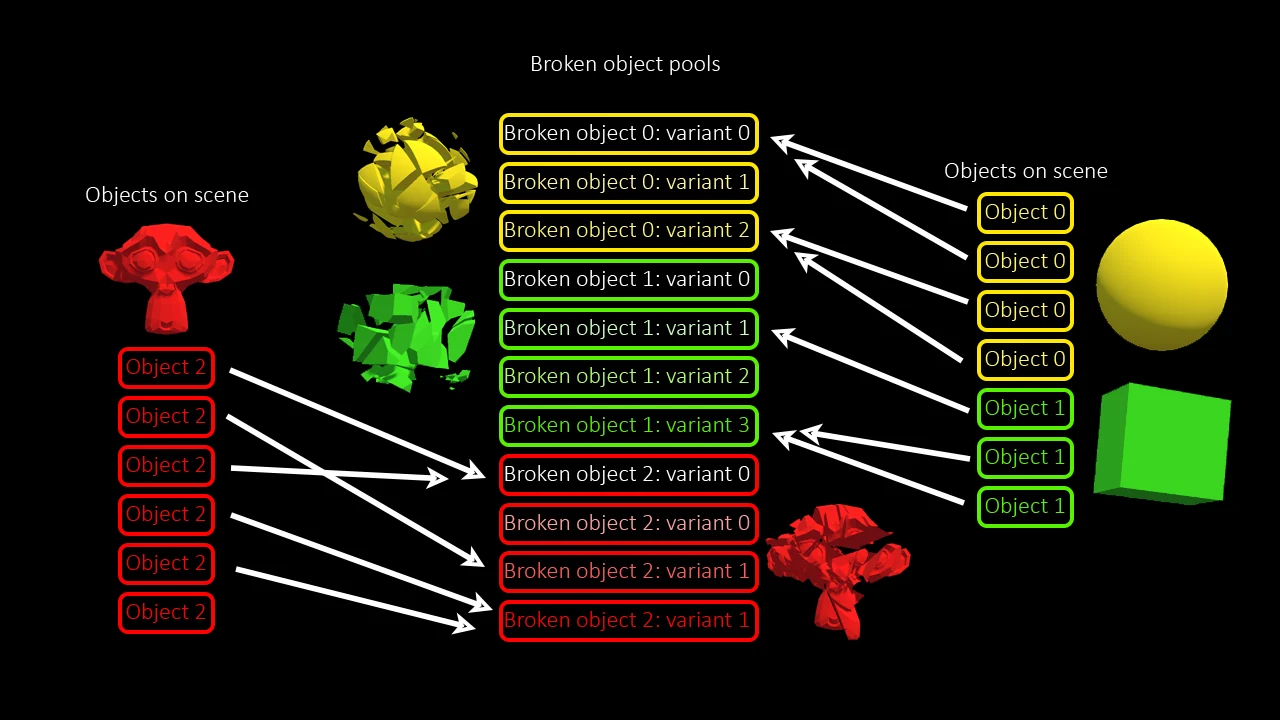
A pool is a collection of objects that are kept ready to use. You take objects from the pool and release them back after use. The main goal is to avoid memory allocations and slow GameObject instantiation.
The Breakable Objects System automatically places shards into the Broken Object Pools during destruction. Shards from one broken object are reused on another identical object later. This greatly increases runtime performance, especially if you have to destroy a lot of identical objects.
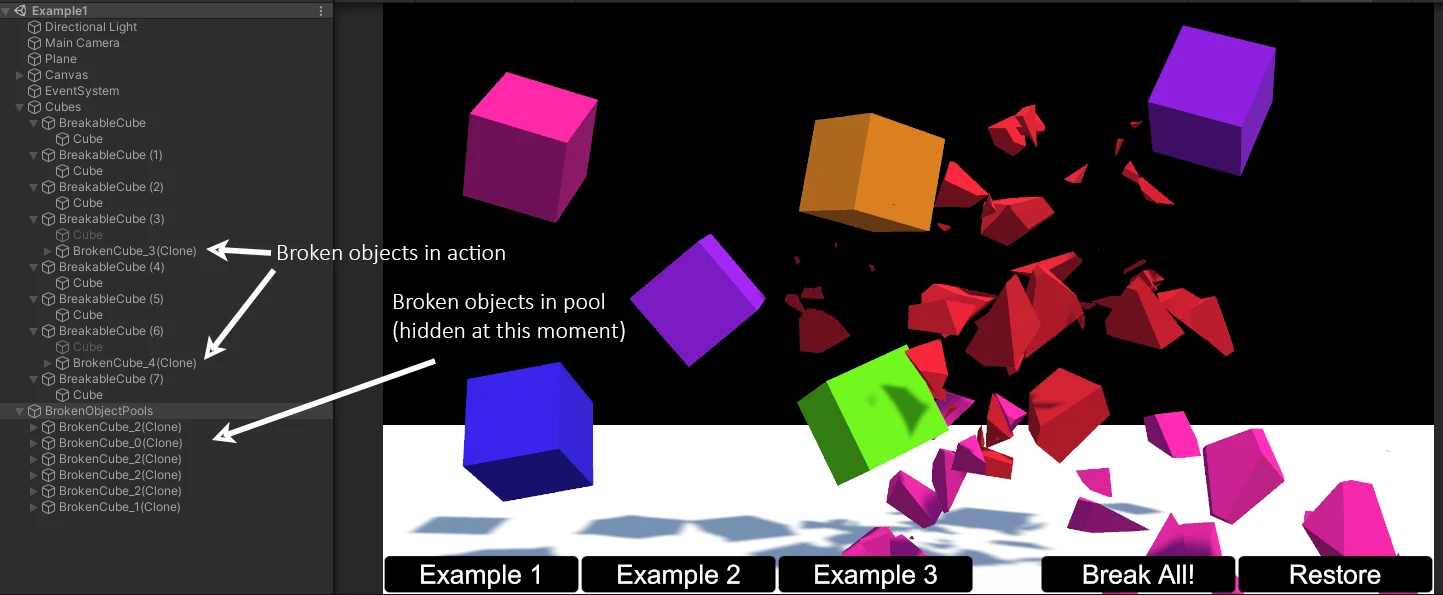
All you need to do is make sure the BrokenObjectPools GameObject exists in your scene. Please do not delete it! The Add pools to scene option in the window adds it for you.